Welcome to ArtDeck
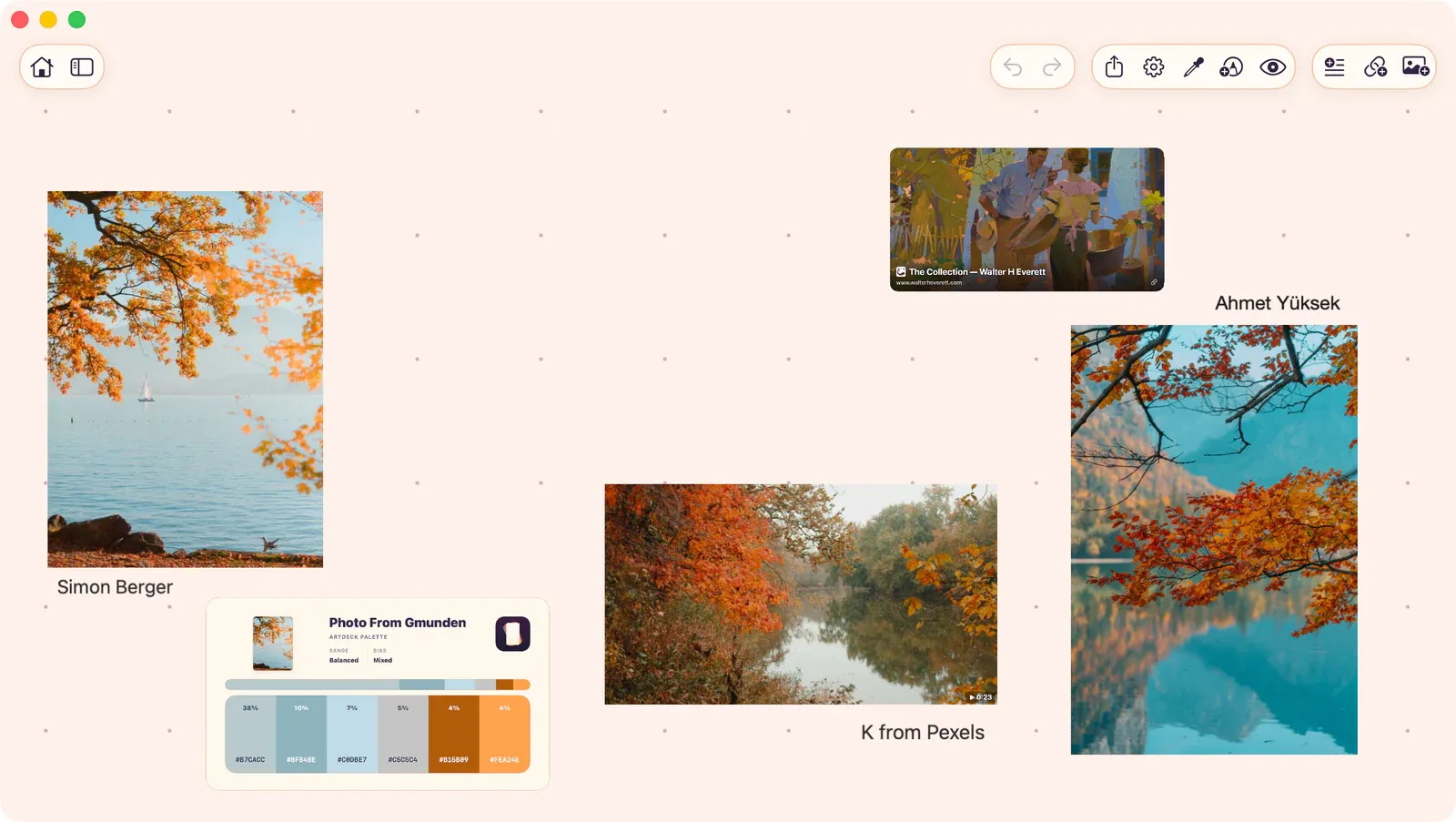
Use ArtDeck to collect reference, notes, links, video, and drawings on an infinite visual board. Arrange the material as the study changes, then use ToolBox, annotations, sync, and export when you need them.
What You Can Do
Section titled “What You Can Do”- Collect: Import images, videos, GIFs, PDFs, URLs, and text from anywhere. Use the share extension to send content from any app directly to a board.
- Arrange: Drag, resize, rotate, and layer items freely on an infinite board. Group related items together. Align and distribute with precision.
- Study: Use ToolBox to analyze images and video frames with 17+ non-destructive study tools: value checks, color palettes, composition grids, readability tests, and precision measurements.
- Annotate: Draw directly on your board or annotate existing items with pen, highlighter, and shape tools.
- Customize: Set board backgrounds, apply themes, and configure app defaults.
- Sync: Keep boards available across your iPhone, iPad, and Mac with opt-in iCloud Sync.
- Export: Share your work as JPG, PNG, HEIC, PDF, or ArtDeck format at resolutions up to 8K.
Platforms
Section titled “Platforms”ArtDeck runs on iPhone, iPad, and Mac with a native experience on each platform. Your boards can sync across devices via iCloud when you turn sync on. iCloud Sync is for your own Apple Account; it is separate from exporting or sharing a board file with someone else.