
Scope
Some ToolBox tools support a Scope — a rectangle you draw on the board to focus the analysis on a specific area instead of the whole image. ArtDeck shows it as Tool Scope for a single tool and Analysis Scope when it applies across the study.
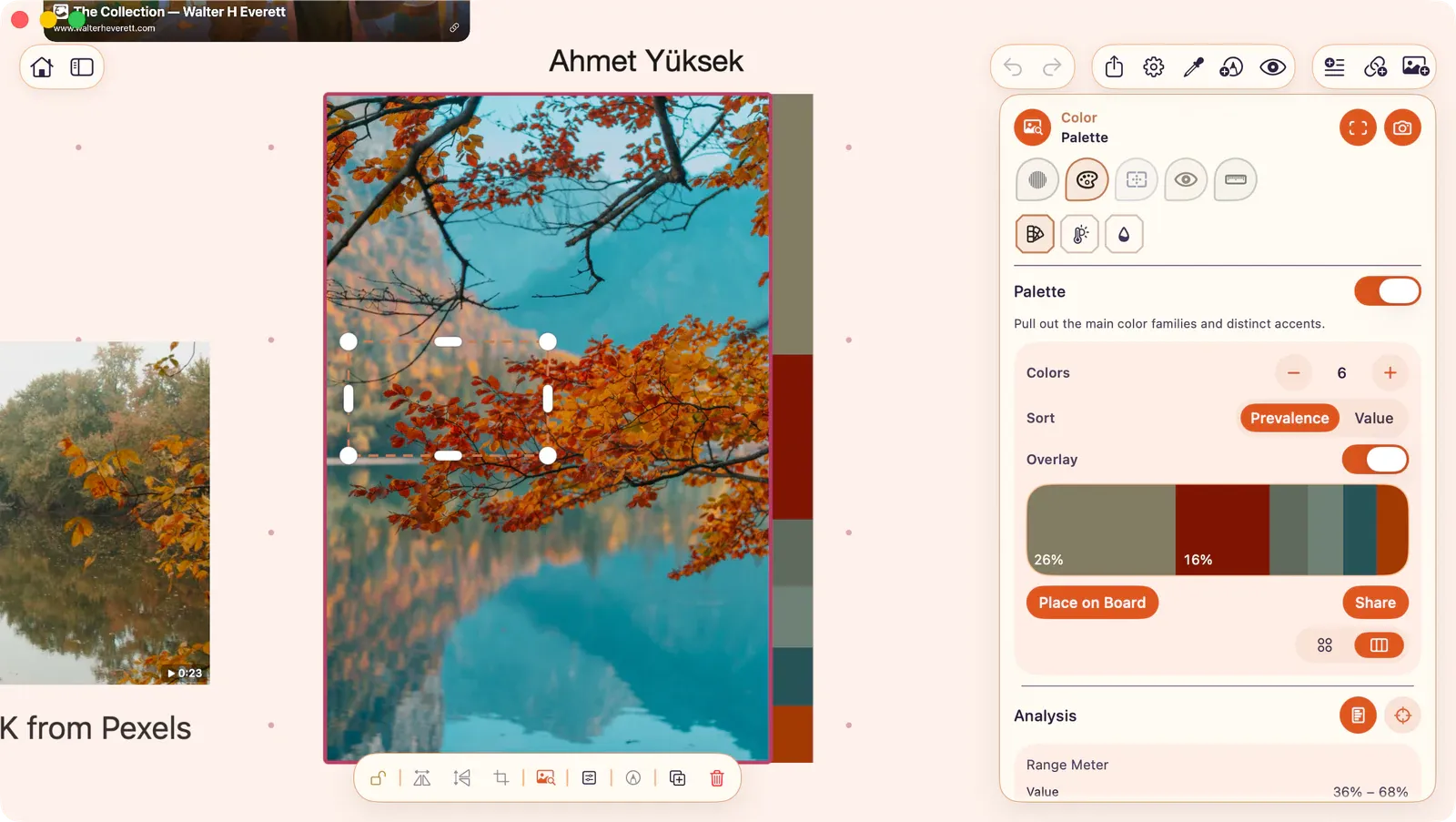
Drawing a Scope
Section titled “Drawing a Scope”- Enable Scope in a supported tool.
- Drag on the board to define the rectangle.
Adjusting
Section titled “Adjusting”- Drag the rectangle to reposition.
- Drag edges or corners to resize.
Supported Tools
Section titled “Supported Tools”Scope is available for:
- Analysis
- Palette
- Temperature Map
- Saturation Map
- Detail Density
When a Scope is active, the tool analyzes only the pixels within the region instead of the full image.