HDR and Color Management
Use HDR settings when you view or export images and video with extended brightness or wide color.
Display
Section titled “Display”ArtDeck renders in the Display P3 color space. On HDR-capable displays, HDR images and video are shown with extended brightness and contrast.
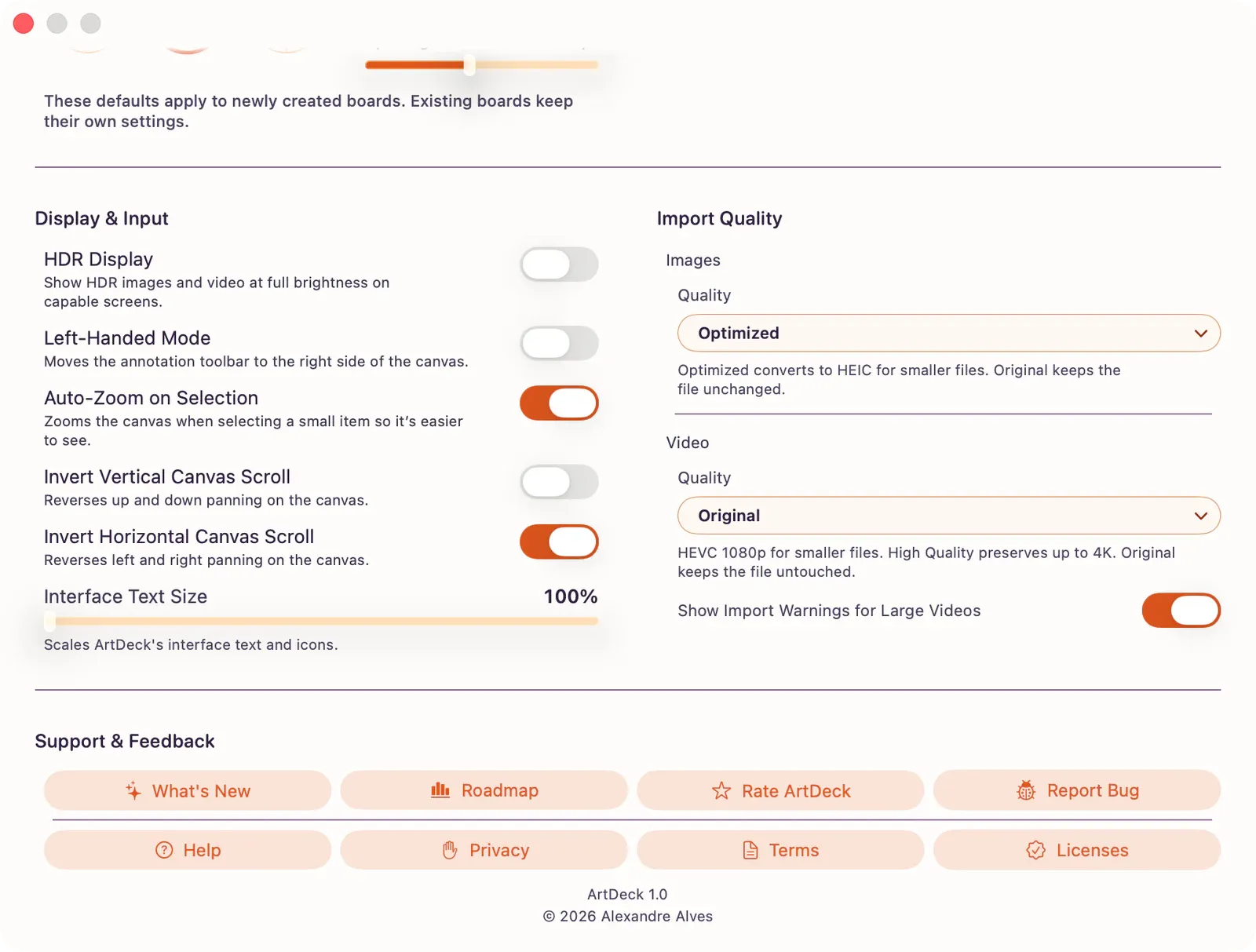
Turn HDR Display on from App Settings > General > Display & Input. When HDR Display is on, HDR images and video can use full brightness on capable screens; text, drawings, and standard images may look slightly dimmer while HDR content is visible.
Import
Section titled “Import”- HDR metadata and gain maps are preserved during import.
- Color profiles are maintained.
- Use App Settings to change import quality defaults for images and video.
Export
Section titled “Export”When exporting, choose your dynamic range:
- HDR: Preserves extended range in supported formats (JPG, PNG with PQ metadata, HEIC).
- SDR: Tone-maps to standard range.