Share Extension
Send images, video, PDFs, links, text, and supported files to a board from the system share sheet on iPhone, iPad, or Mac.
How It Works
Section titled “How It Works”- In the source app, use the Share menu or tap Share, then choose ArtDeck.
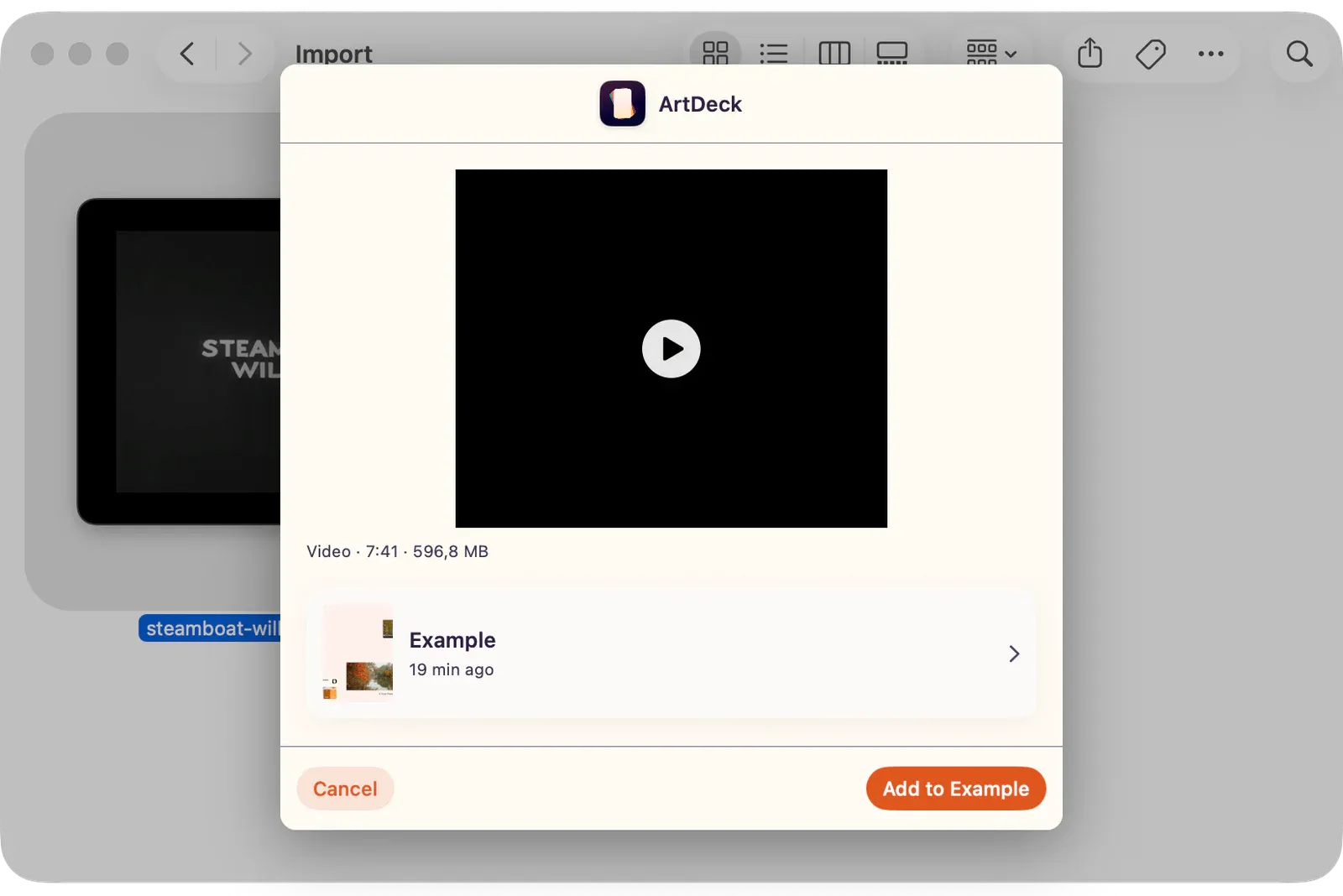
- Review the preview. ArtDeck shows a still preview, video preview, PDF page count, link card, text snippet, or mixed-item summary depending on what the source app provided.
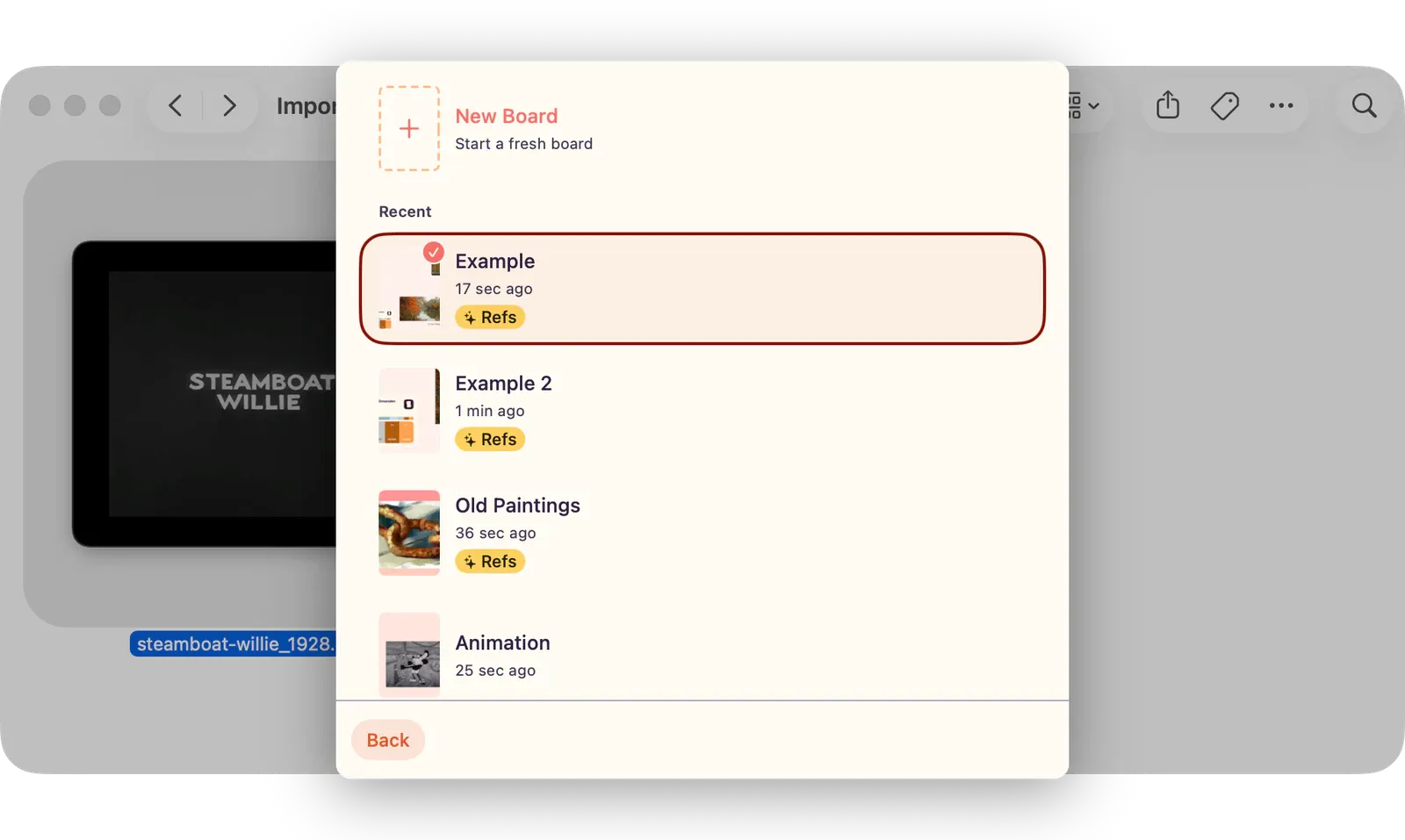
- Choose the destination card. If ArtDeck recognizes your last used board, it is already selected; otherwise, open the board picker to choose, search, or create a board.
- Tap Add to [board name]. The button says Choose a Board First until a destination is selected.
- Wait for Adding to board… to finish. On iPhone and iPad, open ArtDeck normally to view the items. On Mac, use Open in ArtDeck from the confirmation when you want to jump straight to the board.
Note: If ArtDeck does not appear in the share sheet, enable it in the system share controls. On iPhone or iPad, open the share sheet, choose More or Edit Actions, then enable ArtDeck. Add it to Favorites if the share sheet offers that option. On Mac, open
System Settings > Privacy & Security > Extensions > Share Menuand turn on ArtDeck.
Choose a Destination Board
Section titled “Choose a Destination Board”Open the destination card when you want to send the shared content somewhere else. The board picker lets you create a new board, choose from recent boards, or return to the share preview without adding anything.
Supported Content
Section titled “Supported Content”| Type | Limit or behavior |
|---|---|
| Images and SVGs | Up to 20 images from the share sheet. Local image files can be up to 100 MB; remote image URLs can be up to 50 MB. |
| Animated media | GIF, APNG, animated WebP, and animated AVIF are imported as media when ArtDeck can read the animation. |
| PDFs | Up to 300 pages and 100 MB. Pages are rasterized into board images. Password-protected PDFs are not imported here. |
| Videos | Up to 10 movies from the share sheet. Supported extensions include MOV, MP4, M4V, WebM, AVI, MKV, WMV, and FLV. Local videos can be up to 2 GB; remote video URLs can be up to 500 MB. |
| URLs | Up to 5 web URLs. Direct image or video URLs may import as media; other URLs become link cards. |
| Text | Shared text becomes a text item. Very long text is capped at 100,000 characters. |
| Other files | Imported only when the file resolves to a supported image, SVG, PDF, video, URL, or text payload. Unsupported files are skipped. |
Placement and Recovery
Section titled “Placement and Recovery”- ArtDeck adds shared items near the last board viewport center and cascades repeated imports diagonally so new items do not land exactly on top of each other.
- Image, animated media, and video imports keep source color and HDR metadata when the source provides it and ArtDeck can read it.
- Links from Instagram, X (Twitter), Pinterest, YouTube, TikTok, Behance, Dribbble, ArtStation, and DeviantArt get platform-specific link treatment where available.
- If part of a mixed share is too large or unsupported, ArtDeck shows a notice and saves the items it could read. If nothing can be imported, save the file first, then import it from inside ArtDeck.