Per-Board Sync and Conflicts
Use Sync This Board when one board should behave differently from the app-level iCloud Sync setting. A board can stay local on the current device, then rejoin iCloud later.
Turn Sync Off for One Board
Section titled “Turn Sync Off for One Board”- Open the board.
- Open the board settings panel.
- Turn off Sync This Board.
Turning sync off does not delete the board from your other devices. It stops sending new changes from this device for that board.
Turn Sync Back On
Section titled “Turn Sync Back On”Turn on app-level iCloud Sync first, then open the board settings panel and turn Sync This Board back on.
If only this device changed while sync was off, ArtDeck turns sync back on quietly. If ArtDeck cannot confirm that the iCloud copy stayed unchanged, it asks what to keep before syncing resumes.
Choose What to Keep
Section titled “Choose What to Keep”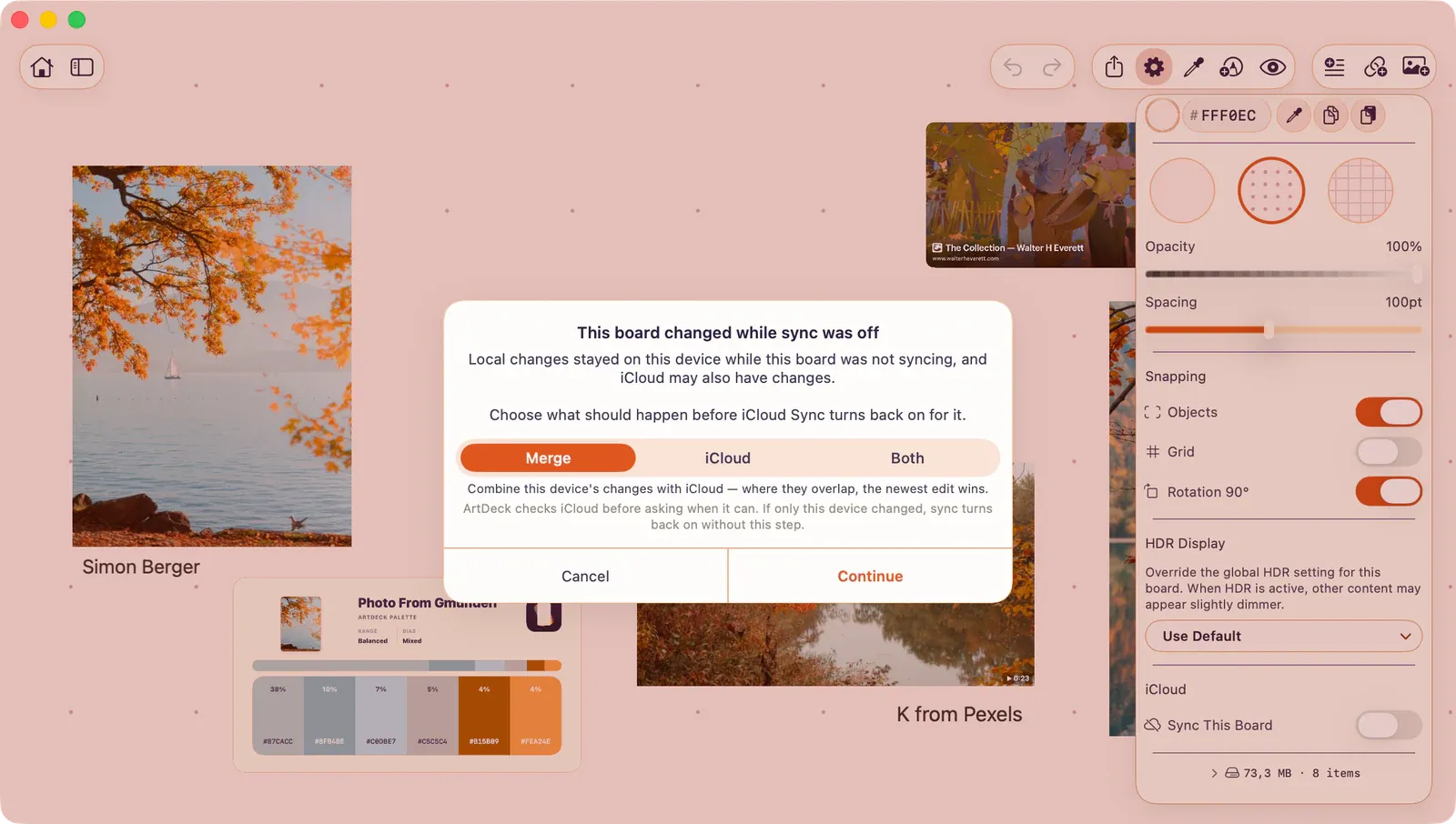
| Choice | Use when | Result |
|---|---|---|
| Merge | Your offline edits and the iCloud edits belong together. | ArtDeck combines both versions. Where the same thing changed on both sides, the newest edit wins. |
| iCloud | The iCloud copy is the one to keep. | ArtDeck replaces this device’s offline edits with the iCloud version. |
| Both | You want to keep everything and decide later. | ArtDeck restores the iCloud version and keeps your offline version as a separate board with a “(Local Copy)” suffix. |
If the Same Item Changed Twice
Section titled “If the Same Item Changed Twice”If you edit the same item on two devices while offline, ArtDeck keeps the most recent change when both devices come back online. Use Both when you would rather keep a separate local copy for review.