
Work with GIFs
Import animated GIFs, APNG, animated WebP, or animated AVIF files when you need frame playback on the board. The same media controls apply to each format.
Playback Controls
Section titled “Playback Controls”When a GIF is selected, the control bar shows:
| Action | Description |
|---|---|
| Play/Pause | Start or stop playback |
| Step Backward | Go to the previous frame |
| Step Forward | Go to the next frame |
| Speed | Cycle through speeds: 0.25x, 0.5x, 1x, 2x |
| Loop | Toggle looping on or off |
Filmstrip
Section titled “Filmstrip”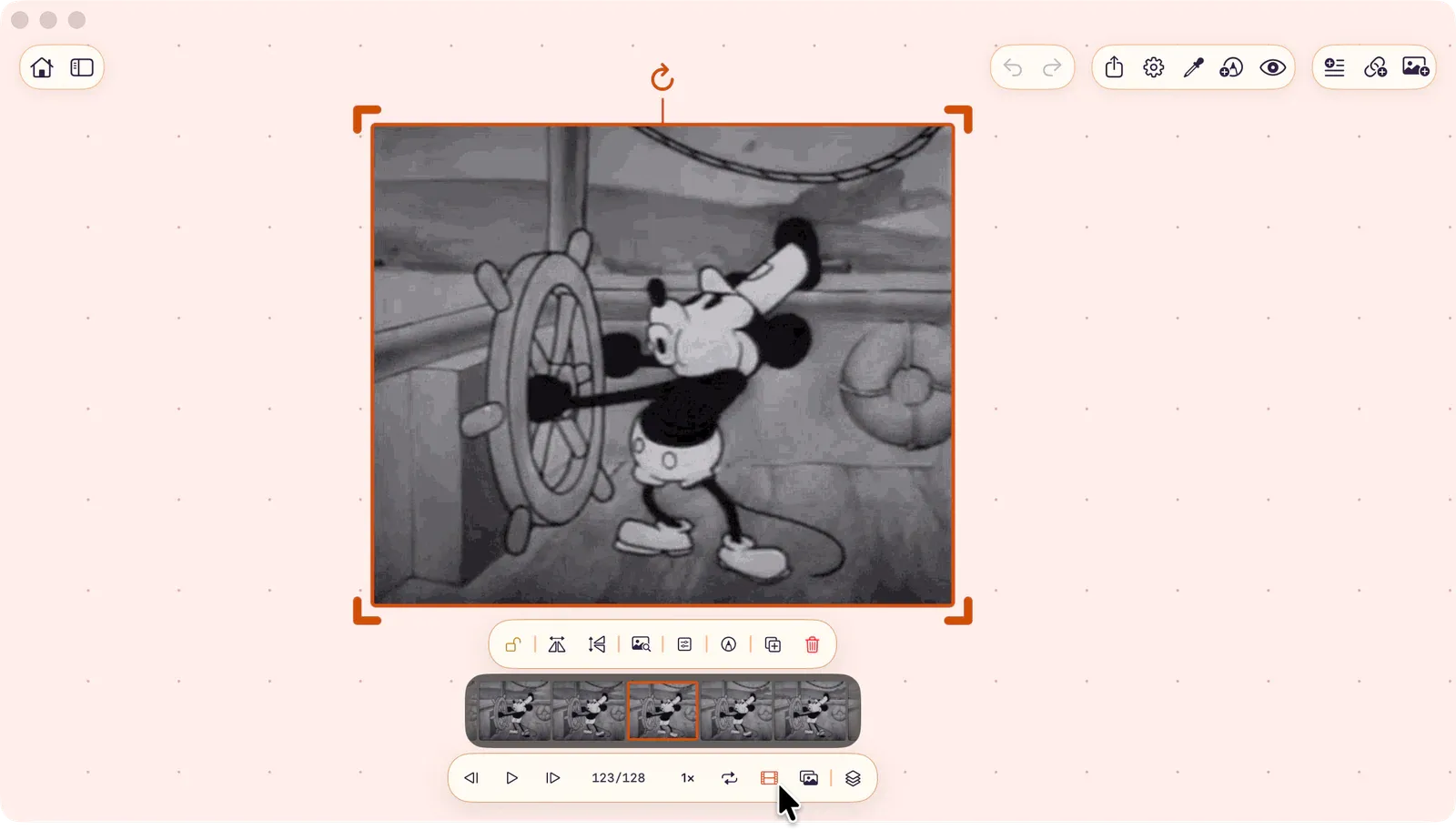
Open the filmstrip to see all frames as scrollable thumbnails. Tap a frame to jump to it. Long-press and drag a frame to extract it as a new image on the board.
Frame Export
Section titled “Frame Export”Export the current frame as a still image using the Export Frame action.
Batch Controls
Section titled “Batch Controls”When multiple GIFs are selected, batch controls appear: play/pause all, step all forward/backward, loop all.
Onion Skin
Section titled “Onion Skin”GIFs support onion skin overlay for comparing frames. See Onion Skin.
ToolBox
Section titled “ToolBox”Freeze any frame for analysis with the ToolBox. See ToolBox Overview.