
Read Lens
Open the Read lens when you need to reduce detail and check whether the focal point still reads.
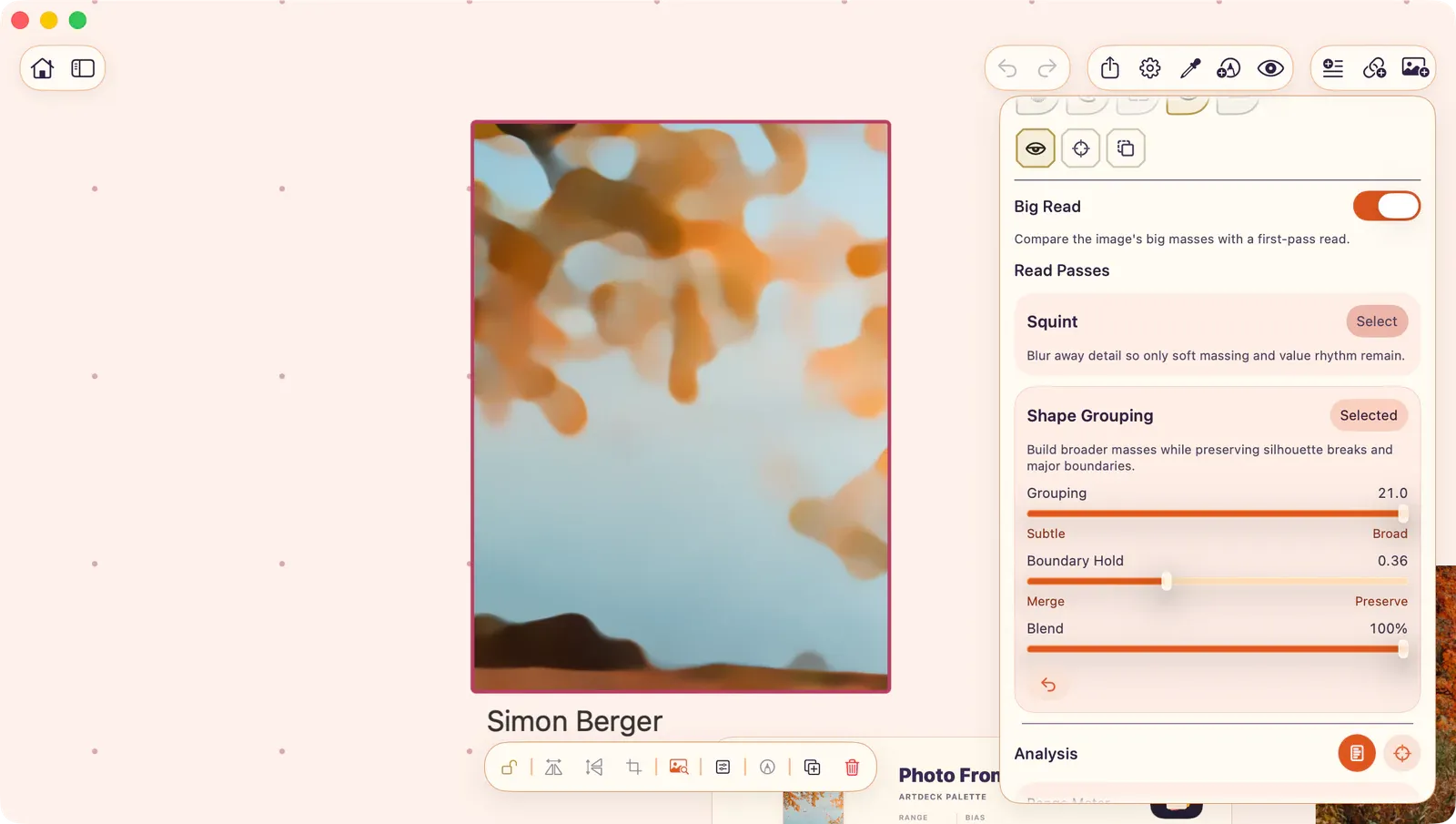
Big Read
Section titled “Big Read”Two sub-tools for large-shape readability:
Squint
Section titled “Squint”Blurs the image to simulate squinting — reveals whether the composition holds at low detail.
- Softness: Blur amount.
- Blend: Overlay intensity.
Shape Grouping
Section titled “Shape Grouping”Groups masses into large shapes to test whether big forms read clearly.
- Grouping: How aggressively shapes merge (Subtle → Broad).
- Boundary Hold: How strongly edges between shapes are preserved (Merge → Preserve).
- Blend: Overlay intensity.
Detail Density
Section titled “Detail Density”Maps where fine structure clusters, highlighting dense zones versus quiet areas.
- Zone Size: Scale of analysis.
- Sensitivity: Detection threshold.
- Overlay: Overlay intensity.
Supports Scope.
Edge Hierarchy
Section titled “Edge Hierarchy”Reduces the image to contour hierarchy and major edge breaks.
- Edge Sensitivity: Edge detection threshold.
- Invert: Option to invert the result.
Unavailable Read Tools
Section titled “Unavailable Read Tools”Some Read tools may appear disabled depending on the selected source or app version. If a tool does not produce output, switch to Squint, Shape Grouping, Detail Density, or Edge Hierarchy for the current board.