Download Boards from iCloud
Download boards from iCloud when you set up ArtDeck on another device or when a synced board is visible in the gallery but not stored locally yet.
Choose Download Behavior
Section titled “Choose Download Behavior”The first time ArtDeck finds boards that already exist in iCloud on a new device, it asks whether to download everything or keep boards on demand. You can change this later in App Settings > General > iCloud with Auto-download boards.
- Auto-download on: new iCloud boards are queued for download automatically.
- Auto-download off: boards stay as on-demand previews until you open or download them.
Download One Board
Section titled “Download One Board”- Open the gallery.
- Find the board with the cloud download control.
- Tap the board or its cloud control to start the download.
- Keep ArtDeck open until the board is ready to open.
ArtDeck keeps downloading any remaining full files in the background after the preview is ready. A completion message appears when the download finishes.
Cloud Download States
Section titled “Cloud Download States”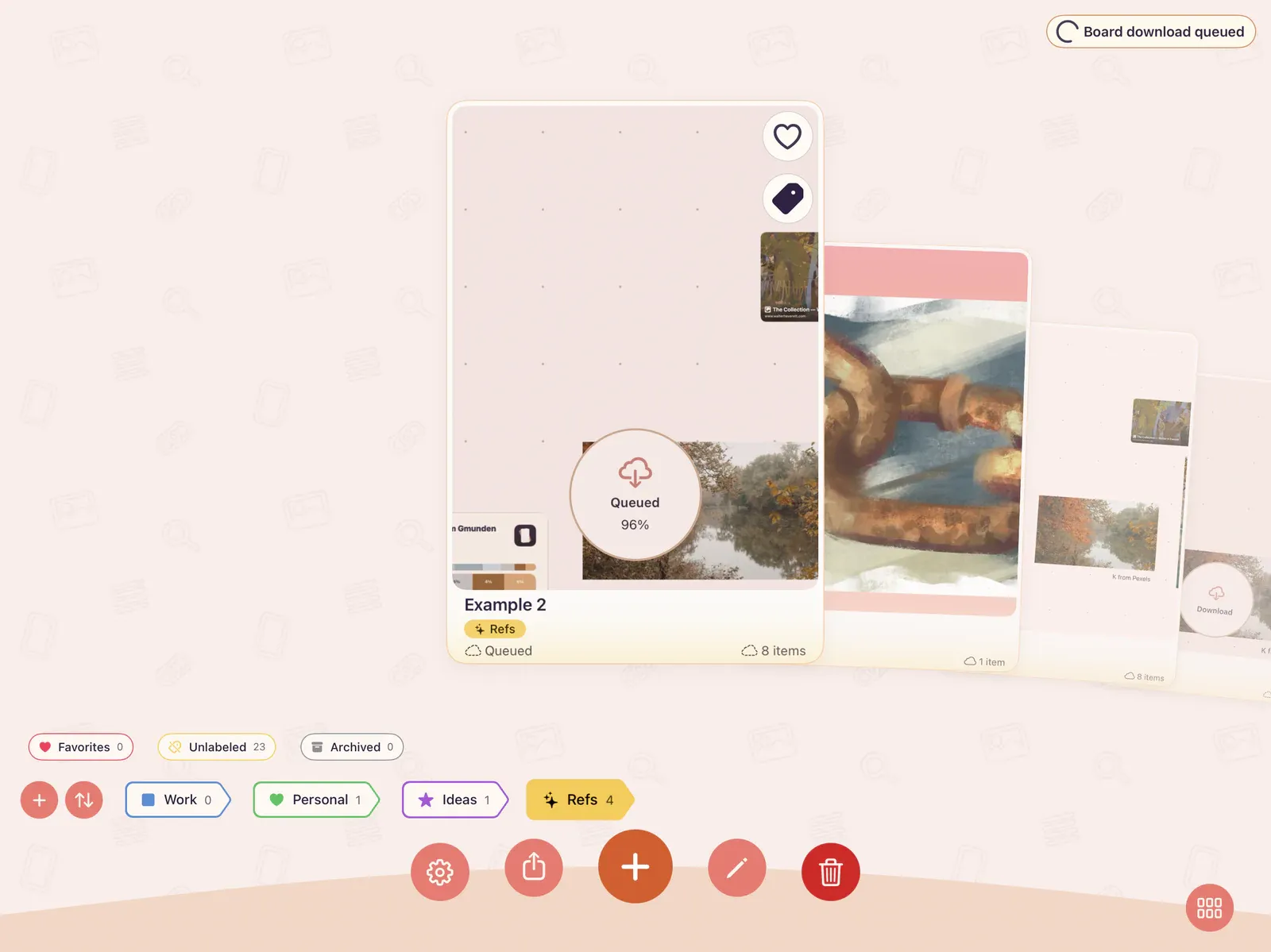
| Card label | Meaning | What to do |
|---|---|---|
| Download | The board is in iCloud but not stored on this device yet. | Tap the board or cloud control. |
| Queued | The board is waiting behind other sync work. | Keep ArtDeck open. |
| Downloading… | Content is arriving on this device. | Watch the progress ring or keep working. |
| Waiting for Wi-Fi | The current network is not allowed for sync. | Connect to Wi-Fi or enable cellular sync on an iPhone or Wi-Fi + Cellular iPad. |
| Tap to Retry | The download stalled and can be tried again. | Tap the board card. |
| Download Failed | The last download attempt failed. | Check the network, then retry. |
| Files Missing | Another synced device needs to republish missing files. | Open ArtDeck on the device that has the full board, then retry here. |
When a Download Needs Help
Section titled “When a Download Needs Help”If a board stays in Waiting for Wi-Fi, Tap to Retry, Download Failed, or Files Missing, use Fix iCloud Sync Issues for the recovery path.
Deleting a synced board removes it from this device and from iCloud after it has synced. Deleting a local-only board removes it only from the current device.